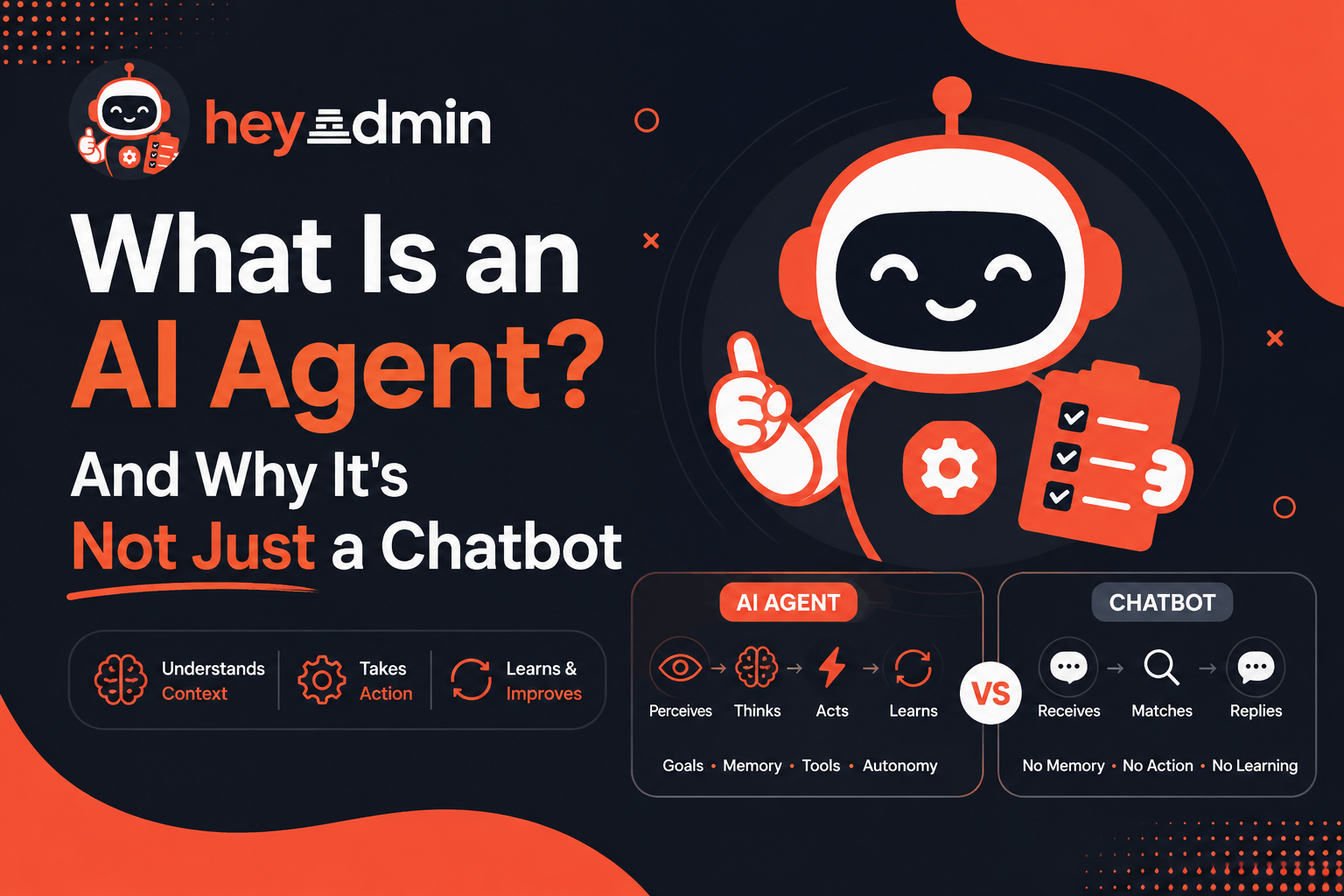
A Chatbot Replies. An Agent Acts.
The distinction matters. A chatbot is essentially a lookup engine: you send a message, it matches it to a response template or a language model, it sends text back. It has no memory of the wider context, no access to your live data, and no ability to do anything other than reply.
An AI agent connects that reply to tools — your knowledge base, your CRM, your calendar, your support system. It can book an appointment, update a lead record, detect that a user is frustrated and escalate, or search the web for a real-time fact. It does this autonomously, on every turn, without your team intervening.
Capability | Chatbot | heyadmin.ai Agent |
|---|---|---|
Answers questions | ✓ | ✓ |
Searches your knowledge base | — | ✓ |
Detects intent and routes accordingly | — | ✓ |
Speaks via synthesized voice | — | ✓ |
Connects to CRM, calendars, helpdesks | — | ✓ |
Handles inbound phone calls (Twilio) | — | ✓ |
Gets smarter from user feedback | — | ✓ (SLM loop) |
Enforces cost limits per company | — | ✓ |
The Agent Loop: Perception → Reasoning → Action
Every heyadmin.ai agent runs the same three-stage cycle, regardless of type. This loop is what separates reactive software from an agent that works on your behalf.
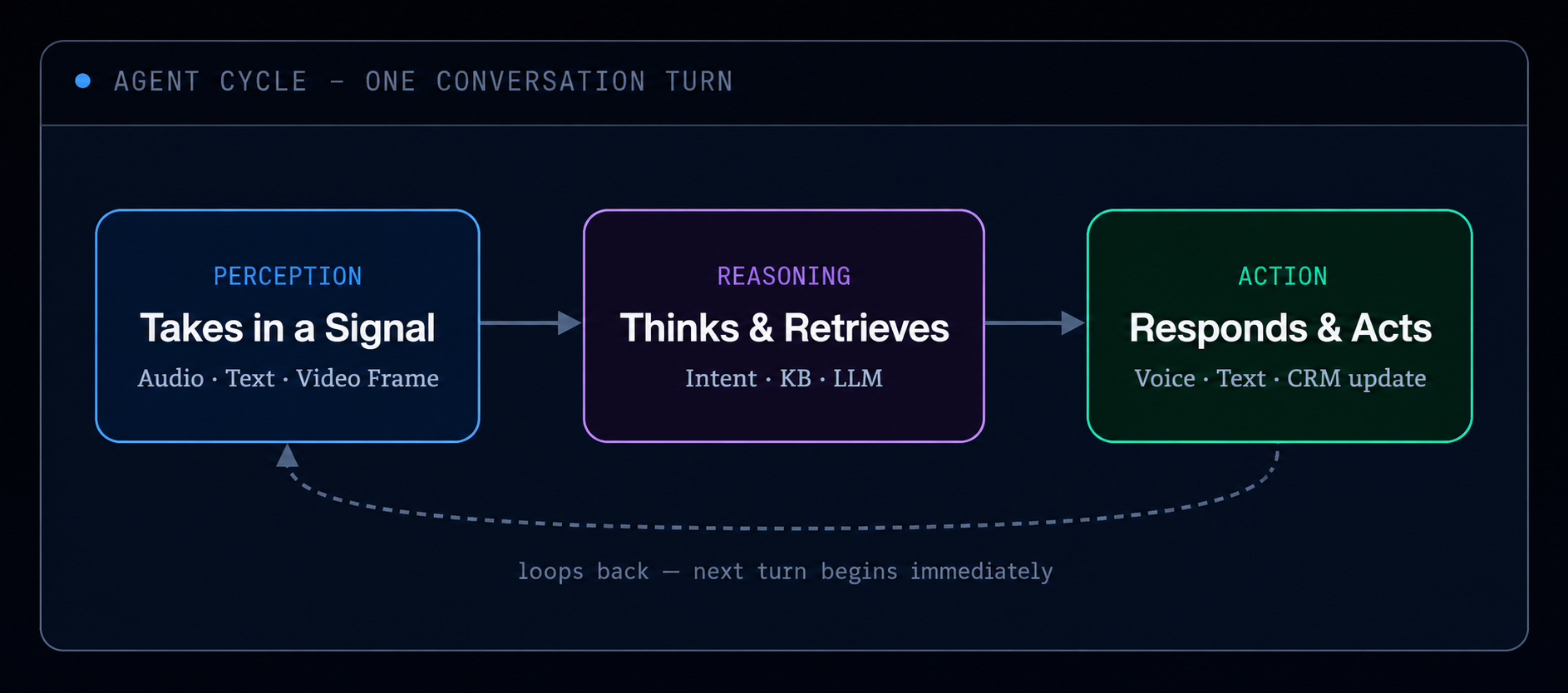
1 Perception — the agent receives your signal
On a Voice agent, this is a raw audio buffer streamed over WebSocket. On a Chat agent, it's a text message. On a Video agent, it's audio plus optional webcam frames. In all cases, the agent captures the input before it does anything else.
2 Reasoning — intent detection, knowledge retrieval, and generation
The agent classifies what the user wants (intent detection), searches your knowledge base for supporting facts (vector search in Qdrant), and passes everything to a large language model to compose a reply. All three happen in one pipeline, in order.
3 Action — the agent delivers and optionally writes back
The reply is spoken (TTS), streamed as text tokens, or lip-synced through a D-ID avatar. In parallel, the agent may write back to external systems: creating a CRM deal, booking a calendar slot, raising a support ticket — depending on which vertical plugins are enabled.
Three Agent Types: Voice, Video, and Chat
heyadmin.ai agents run over WebSocket connections. The type you choose determines the input/output modalities — the underlying pipeline (intent detection, knowledge retrieval, LLM reasoning) is identical across all three.

Platform Note
The D-ID avatar, API key, and WebRTC configuration are managed by heyadmin.ai at the platform level. As a company user, you configure your agent's system prompt, knowledge base, and workflow — the avatar is the face; your content is the brain.
How Your Agent Thinks: The 5-Step Workflow Pipeline
Every Voice and Video agent turn runs through five workflow steps in a fixed sequence. Chat agents run the same pipeline with speech_to_text and text_to_speech removed. You can view and edit your agent's pipeline at Dashboard → Workflows.

The step IDs (speech_to_text, intent_detection, etc.) are the actual field names in your workflow configuration. You can add custom steps with the registerStep() API if you need domain-specific logic between the built-in ones.
Provider choice
The AI provider powering each step — OpenAI, Sarvam (optimised for Indian-language audio), or a locally-hosted Ollama model — is set per agent in Agent Settings → Provider. Sarvam uses Saarika v2 for STT and Bulbul v2 for TTS, and handles code-switching between English and Indian languages naturally mid-conversation.
How the Knowledge Base Works (The RAG Pipeline)
When your agent answers a question, it's not guessing from its training data — it's retrieving the specific answer from your documents. This is called Retrieval-Augmented Generation (RAG). Understanding how it works helps you build a better knowledge base.
There are two distinct phases: indexing (happens when you upload a document) and retrieval (happens on every turn). The diagram below shows both.

Index Time — what happens when you upload a document
1 Upload — your document enters the platform
You upload a PDF, paste a URL, add a YouTube transcript, or point to a SQL data source. The platform extracts raw text. At this point, nothing is searchable yet.
2 Chunking — the document is split into small passages
Long documents are split into segments of roughly 500 tokens each, with some overlap between adjacent chunks so that a sentence spanning a boundary isn't lost. Practical implication: short, focused documents outperform one large manual. A 10-page product FAQ will retrieve more precisely than a 200-page employee handbook.
3 Embedding — each chunk becomes a vector
Each chunk is passed through an embedding model (
multilingual-e5-largeby default) that converts text into a 1536-dimensional numerical vector. Think of it as a coordinate in high-dimensional "meaning space": similar passages end up geometrically close to each other, regardless of the specific words used. This is why a user asking "how do I cancel?" can retrieve a chunk that says "to end your subscription…" — they mean the same thing.4 Stored in Qdrant — your personal vector database
Vectors are stored in Qdrant, an open-source vector database running alongside the platform. Every vector is tagged with your
companyIdand theknowledgeBaseId, so one company can never retrieve another's documents. The index is persistent — documents survive restarts and are available immediately on the next agent turn.
Query Time — what happens on every turn
5 Query embedding — the user's question is vectorised
The user's message (after STT transcription, if voice) is passed through the same embedding model used at index time. This produces a query vector in the same coordinate space as your document chunks.
6 Vector similarity search — Qdrant finds the closest matches
Qdrant performs a cosine similarity search across your company's indexed chunks and returns the top-k candidates (typically 5–10). This is sub-millisecond at scale — Qdrant is designed for this workload.
7 Reranking — candidates sorted by relevance
The top candidates are passed through a CrossEncoder reranker (
ms-marco-MiniLM-L-6-v2) that scores each chunk against the original query more precisely than cosine similarity alone. The final ordered list is what the LLM receives as context. After you accumulate enough 👍/👎 feedback, this reranker is fine-tuned on your domain — see the SLM section below.8 LLM response generation — answer grounded in your documents
The retrieved chunks, the user's question, and your system prompt are combined into a context window and sent to the LLM (GPT-4o, Sarvam, or Ollama). The model generates an answer grounded in what it received — it cannot hallucinate details that contradict your documents because the retrieved context takes precedence. If no relevant chunks are found above the score threshold, the agent says it doesn't know rather than guessing.
Why your agent sometimes says "I don't know"
Every retrieved chunk has a similarity score. If none of the top-k chunks cross the minimum relevance threshold, the agent will say it cannot find an answer in its knowledge base. This is intentional and correct — it's preferable to a confident wrong answer. The fix is to add a document that covers the missing topic.
The Self-Improving Loop
heyadmin.ai agents get measurably better over time through a feedback-to-fine-tuning loop. Every 👍 or 👎 a user taps on a reply is stored as a FeedbackEvent. When a company accumulates 50 or more new feedback events, the platform automatically kicks off a fine-tuning run on the retrieval models.

Fine-tuning the reranker means the model learns which of your documents your users actually found useful, not just which ones were textually similar to a query. The more specific thumbs-up and thumbs-down feedback your team collects, the faster the improvement curve.
Required — do not remove
The 👍/👎 feedback UI must remain on every agent reply. It is the data source for all SLM improvements. Removing it stops the improvement loop for that agent permanently.
Key Takeaways
→An AI agent acts on your behalf — it perceives, reasons, and responds in a loop. A chatbot only returns a reply.
→Every heyadmin.ai agent runs a five-step pipeline:
speech_to_text→intent_detection→knowledge_retrieval→llm_response→text_to_speech. Chat agents skip STT and TTS.→Answers come from your documents, not from the model's training data. The RAG pipeline (chunk → embed → Qdrant → rerank → LLM) ensures every reply is grounded in your knowledge base.
→The retrieval models fine-tune themselves from 👍/👎 feedback. At 50 events the reranker improves; at 500 the embedder does too.
→ Voice, Video, and Chat agents run identical reasoning pipelines. What differs is only the input/output modality — audio, avatar, or text.